Christmas Tartan Digital Papers: A Practical Guide to Avoiding Common Design Pitfalls
If you are looking to elevate your holiday projects without the hassle of sourcing physical materials, Christmas Tartan Digital Papers offer a versatile solution for creators ranging from busy parents to professional designers. The festive pattern is iconic, evoking warmth and tradition, but simply downloading a file isn't enough to guarantee a successful result. Many users rush into their first project only to face issues with print quality, color mismatches, or file incompatibility. Understanding the technical specifications and proper usage of these digital assets can save you time, money, and frustration.
Understanding What You Are Actually Buying
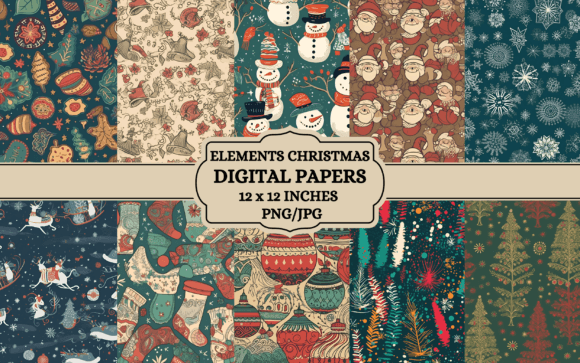
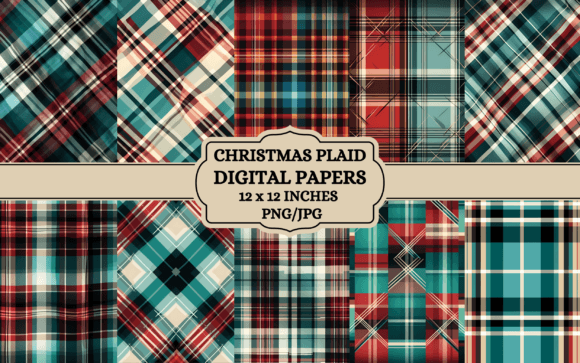
Before diving into your creative process, it is crucial to clarify exactly what this product entails. This listing provides digital files only. No physical products will be shipped to your door. When you purchase Christmas Tartan Digital Papers, you are acquiring a license to use 10 high-resolution design files in both PNG and JPG formats. These files are sized at approximately 12 x 12 inches with a resolution of 3600 x 3600 pixels at 300 DPI. This high resolution is essential for crisp printing, but it also means you must handle the files correctly to maintain their integrity.
A common misunderstanding among beginners is assuming that a digital download works like a physical paper pack where you can immediately cut and paste. Instead, these are digital canvases. They require software to manipulate them before they become physical objects. Whether you are using Canva, Adobe Photoshop, or any other application that supports image layers, the workflow begins on your screen, not your printer.
Common Mistakes That Ruin Holiday Projects
Even experienced crafters make errors when integrating digital papers into their workflows. One of the most frequent pitfalls involves ignoring the aspect ratio and dimensions. While the designs are provided at 12 x 12 inches, this is an approximate size. If you attempt to resize these images drastically for a specific format without maintaining the correct proportions, you risk pixelation. A pixelated tartan pattern looks unprofessional and cheapens the final product, whether it is a business card or a large wall art print.
Another significant oversight is neglecting the difference between RGB and CMYK color modes. Digital screens display colors in RGB (Red, Green, Blue), while printers use CMYK (Cyan, Magenta, Yellow, Black). Because of this fundamental difference, the vibrant reds and greens of your Christmas tartan may appear slightly duller or shifted in hue when printed. If you do not adjust your color profiles before sending files to a printer, your "festive" design might end up looking muddy or gray. This is why checking your printer settings and calibrating your monitor beforehand is non-negotiable.
Users often overlook the limitations of the file formats as well. While the package includes both PNG and JPG, they serve different purposes. PNG files support transparency, which is vital if you need to layer the tartan over another background or create a sticker without a white box around it. JPG files, however, do not support transparency and are better suited for simple backgrounds. Using a JPG when you need a transparent overlay can lead to unsightly white borders ruining your scrapbook layout or journal cover design.
Maximizing Usability Across Creative Projects
To avoid these pitfalls, start by organizing your workflow. Download all 10 files immediately after purchase and back them up. Do not rely on the temporary download link. Once you have the files, open them in your preferred software to inspect the quality. Check the corners and edges for any compression artifacts. If the lines of the tartan look jagged even at full zoom, you may have downloaded a low-quality version, though this is unlikely given the 300 DPI specification.
When planning your projects, consider the scale. For small items like business cards or printable stickers, ensure your software is set to the correct output size. If you are creating wall art prints or posters, you have more flexibility, but you must still respect the original resolution. If you stretch a 3600-pixel image to fit a massive banner without adding new data, the quality will degrade. Conversely, shrinking the image down for a Thank you card usually results in excellent sharpness.
For those using Canva or similar online editors, remember that you can upload these images directly. However, always check the "levels" and contrast settings within the editor. Sometimes, automatic filters applied by editing tools can wash out the rich textures of the tartan. Manually adjusting the saturation or brightness ensures the design retains its intended charm.
Evaluating Your Choices Before You Print
Before committing to a large batch of prints, always test a single page. This is particularly important for junk journal pages or journal covers where the texture and weight of the paper matter. The digital file represents the visual design, but the physical outcome depends heavily on the paper stock you choose. A glossy photo paper might reflect too much light for a reading journal, while matte cardstock could provide a more elegant finish for holiday greeting cards.
Be realistic about your expectations regarding color. As noted, colors may vary depending on devices and printers. A bright crimson tartan on your high-definition monitor might appear slightly deeper on a home inkjet printer. This variance is normal. To mitigate this, perform a test print on standard paper first. Compare it to your screen. If the colors are off, adjust the color balance in your software before printing on expensive specialty paper.
Furthermore, consider the versatility of the 10 included files. Don't just use one pattern for everything. Mix and match different tartan variations to create depth in your scrapbooking layouts or to differentiate sections in your e-book covers. Using the same pattern repeatedly across all your birthday cards and crafts can make your brand or personal stationery look repetitive and less curated.
Final Thoughts on Smart Usage
The value of Christmas Tartan Digital Papers lies in their adaptability. From tumbler wraps to coloring book covers, the potential applications are vast. However, success depends on respecting the technical nature of digital assets. By understanding the difference between file types, managing color expectations, and testing your prints, you ensure that your holiday creations look polished and professional.
Remember, this listing is for digital files only. There is no physical shipping involved, so plan your timeline accordingly. Take the time to explore the 3600 x 3600 px resolution to its fullest potential. With careful preparation and the right tools, these digital papers can transform your creative projects into stunning, personalized masterpieces that capture the true spirit of the season. Thank you for supporting Nesmly and for taking the steps to make your holiday crafting experience smooth and satisfying.